Photo translator guide: menus and images
Read and translate text in photos of menus, signs, and notices. You can take a new photo or choose an existing image from your album.
When to use it
Read a restaurant menu
Take a photo that clearly shows the dish names or descriptions. If a full menu makes the text too small, photograph the part you want to read more closely.
Read a saved notice
Choose a photo of a notice or sign from your album. Start with an image whose original text is clear and readable.
Before you start
- Check that blur or glare does not obscure the text.
- Allow camera access for a new photo, or access to the photo you want to use from your album.
- Check language and feature coverage in your app version and platform. Do not assume every photo translation feature works offline.
Getting started
Prepare the image
In image translation, take a photo or choose an image from your album. Reduce motion blur and glare so the text is easy to read.
Check the recognized text
Review the text found in the image and its translation. If the original text was recognized incorrectly, try again with a clearer photo.
Use the result
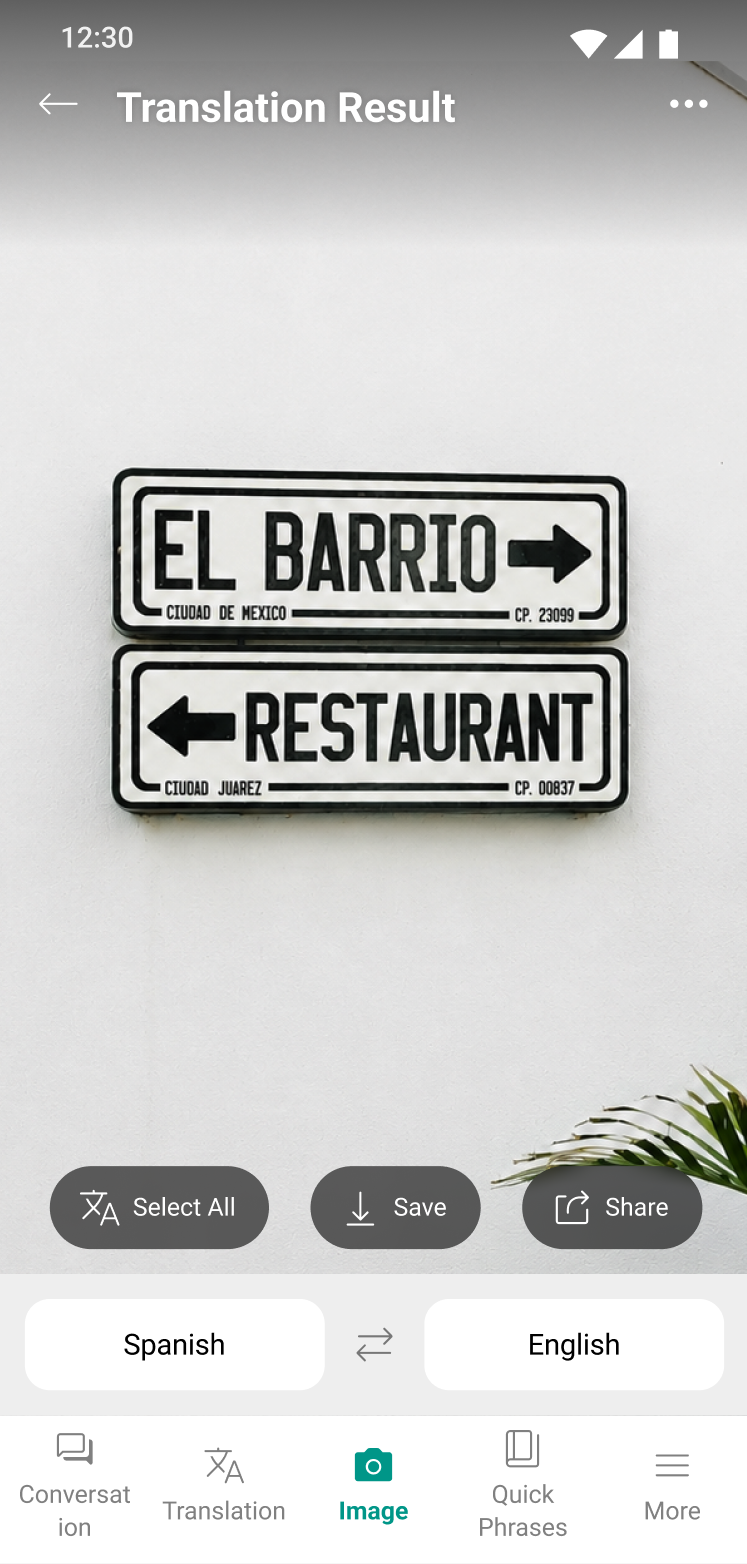
Read the translation overlaid on the photo. You can select all, save, or share the results. Check the available screens and features in your app version.
Screens and available features may vary by language, platform, and app version.
Troubleshooting
Letters are missing or recognized incorrectly
Check the recognized text first. Retake the photo with the relevant text larger in the frame, and reduce glare and motion blur.
The original text is correct but the translation seems odd
Check the selected languages and the surrounding context. For important information, confirm with the other person or the original text. If the issue repeats, contact Support with your app version and steps to reproduce it.
Frequently asked questions
Contact SupportCan I translate an existing photo?
What if the photo translation looks wrong?

Try it in your next conversation.
Download Talking Translator
Each update brings steadier translation and new features.