Talking Translator · iOS & Android

A voice translator app
for everyday life.

Ask for directions or order a meal by voice, read signs with photo translation, and translate messages as text. Available languages differ by feature and platform.

10M+ downloads 4.6 Google Play rating Multiple languages
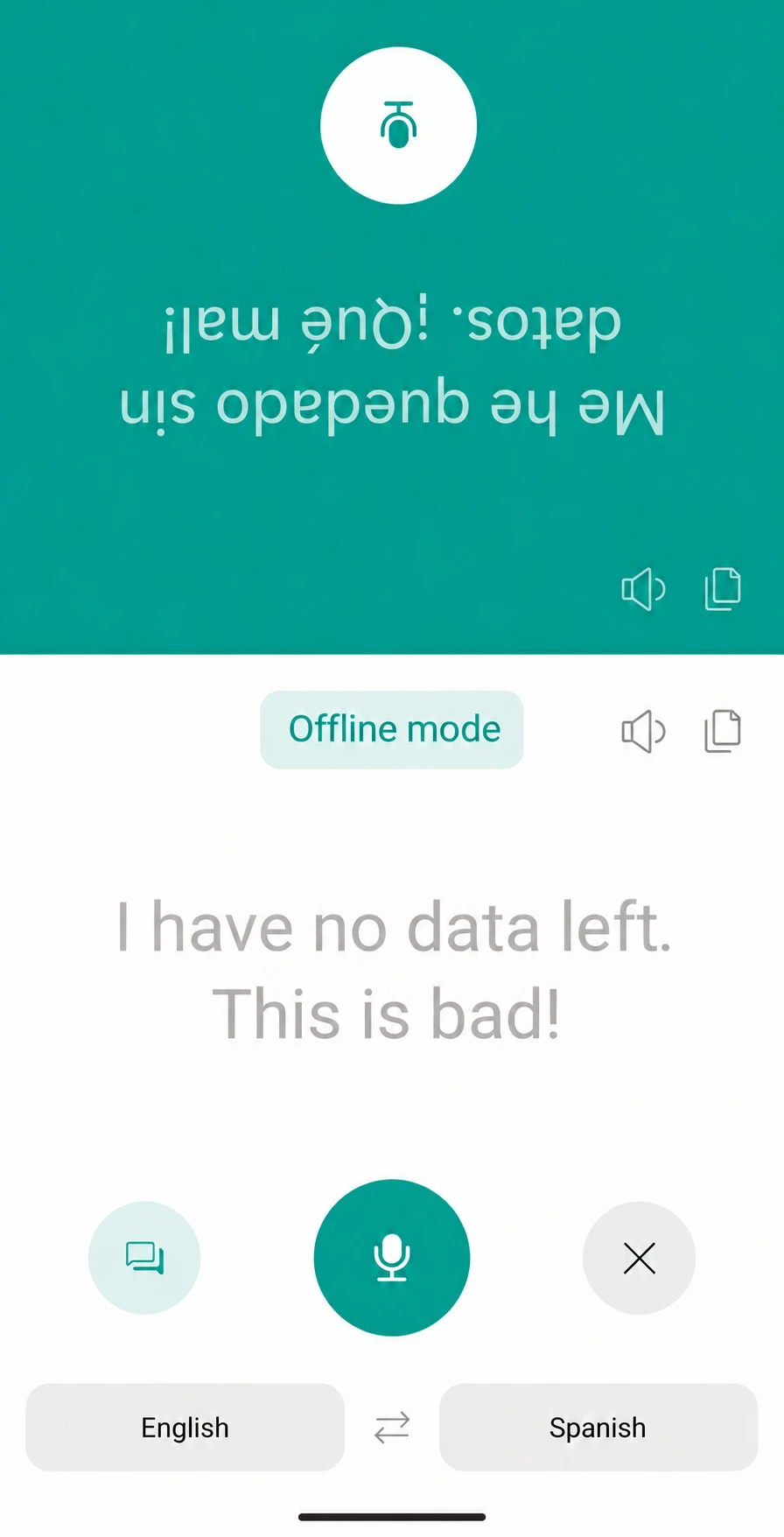
Talking Translator face-to-face example — Spanish text is rotated toward the other person above the English text and microphone.
10M+Total downloads
150K+Google Play reviews
ManyCheck feature coverage
4.6Google Play rating
Features

Speak it, type it, snap it.
And keep it.

Voice, text, and photo translation, plus history and offline options —
choose the feature that fits the moment.

01 · Voice conversation

Tap once
to start translating.

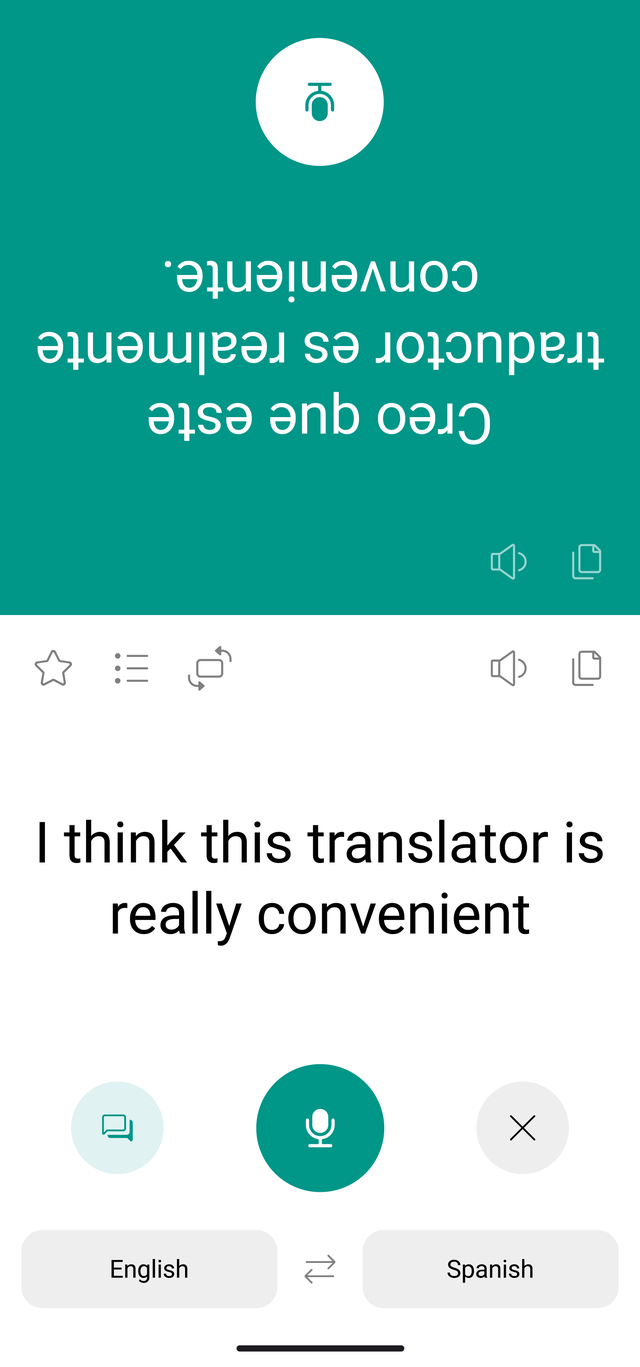
Press the button, speak, and it translates right away. In the face-to-face view you can keep talking while looking at each other.

  • One-touch recording — press, speak, and it translates as you go
  • Face-to-face view — the translation is flipped toward the person across from you
  • Side-by-side view — switch from the flipped layout when you sit next to each other
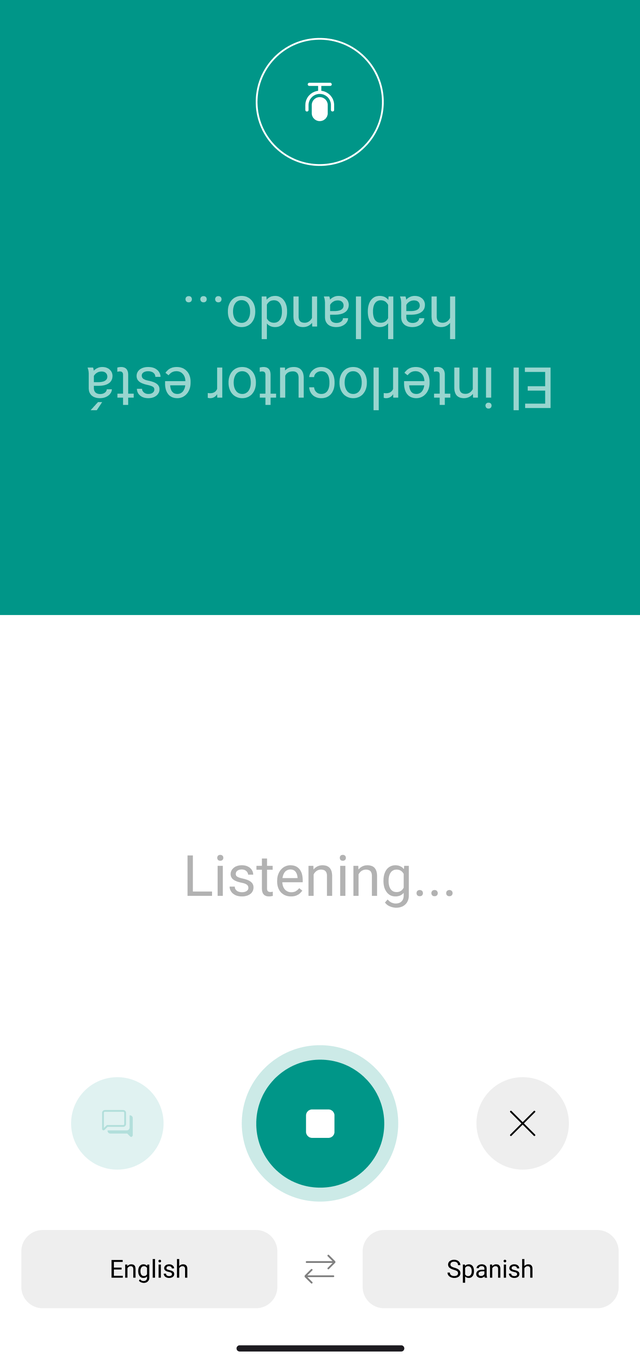
Talking Translator voice recognition screen with English and Spanish selected, a listening indicator, and the recording button.
02 · Text translation

Type it or paste it,
and it’s translated.

Paste in the message or the notice you just received. Copy the result to send it on, listen if you want to hear the pronunciation, and keep the lines you’ll use again in Favorites.

  • Type or paste — translate within your plan’s character limit
  • Copy, listen, favorite — use a translated line now, keep it for later
  • Choose your languages — check the text translation language selector
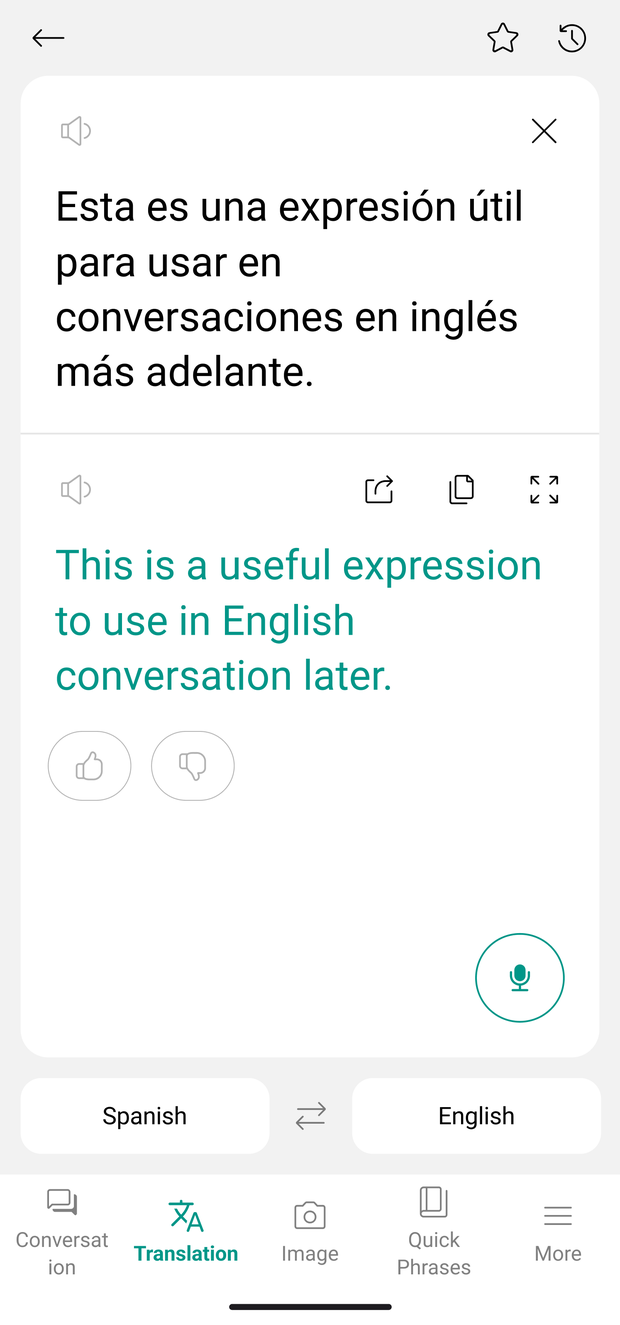
Talking Translator text translation screen — an English translation below the Spanish original, with copy, listen, and share buttons.
03 · Image translation

Signs, menus —
point and read.

Take a photo or pick one from your album, and the text inside is found and translated. The text in the photo is turned into lines you can use.

  • Camera or album — signs, menus, and notices become readable on the spot
  • In place — the translation overlays the original text where it sits
  • Review the result — check recognized text before using the translation
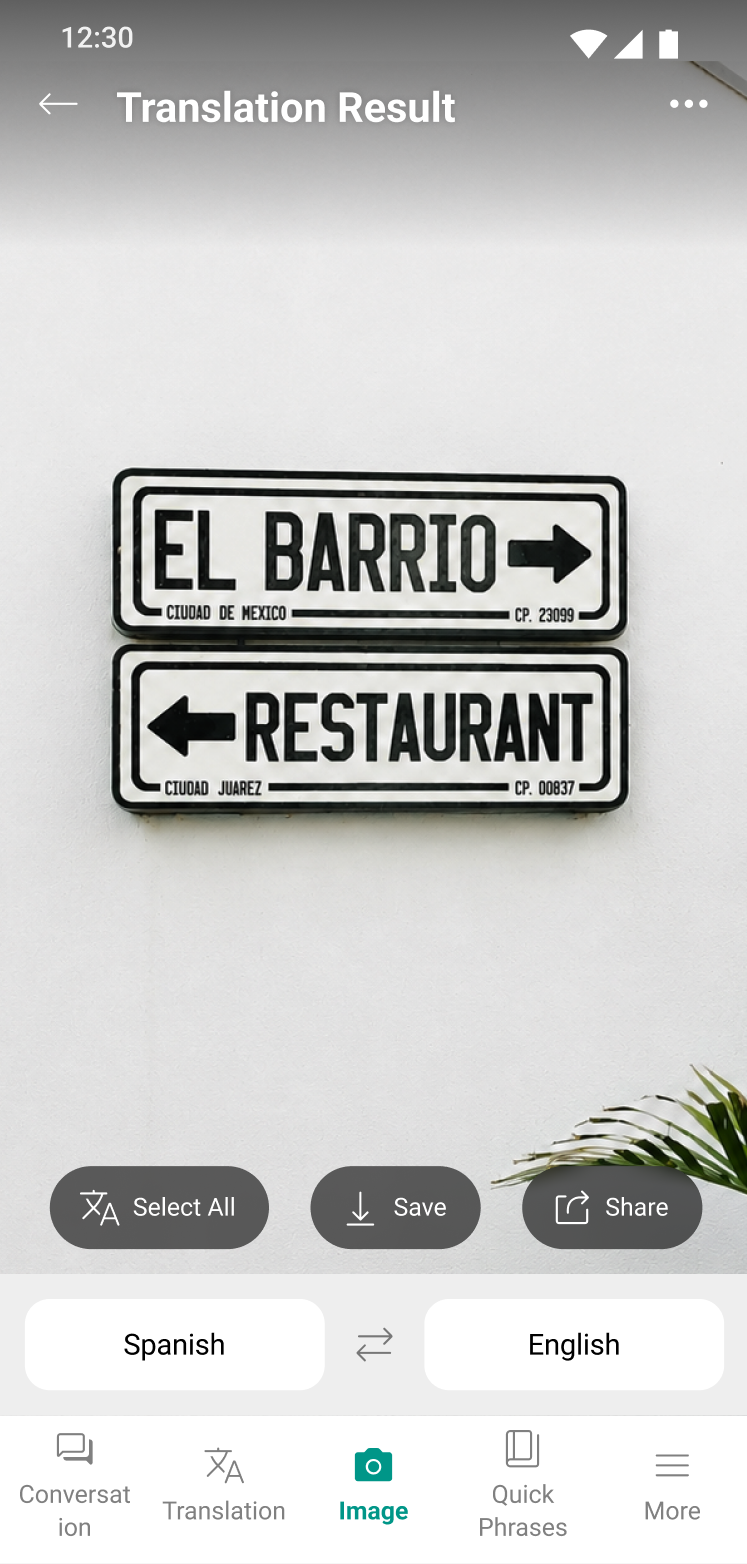
Talking Translator photo translation screen with overlaid example translations: Neighborhood and Restaurant.
04 · History & AI insights

Your conversations,
organized by AI.

Revisit conversations in History. AI insights require consent and an eligible conversation; availability and storage limits vary by platform and plan.

  • Conversation history — revisit saved conversations in the History tab
  • AI summary — available when the conversation meets generation requirements
  • Hashtags — check the available AI insights in your app
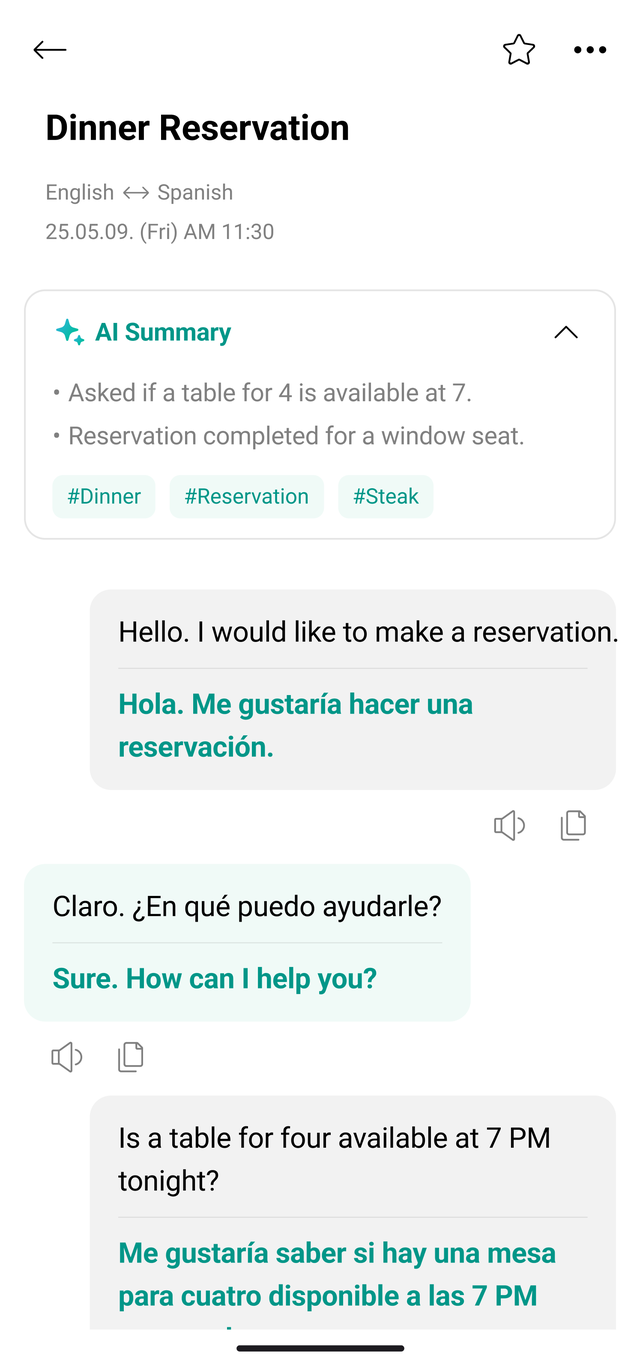
Talking Translator conversation history — a dinner reservation in English and Spanish, with a date, AI summary, and saved messages.

AI summary

  • Asked whether a table for four was available at 7 PM.
  • Booked a table by the window.
#Dinner#Reservation#Steak
05 · Offline & everyday basics

Download ahead,
and it works without data.

Download packs for both languages to translate supported text offline. Voice and photo features have separate requirements; test your setup before traveling.

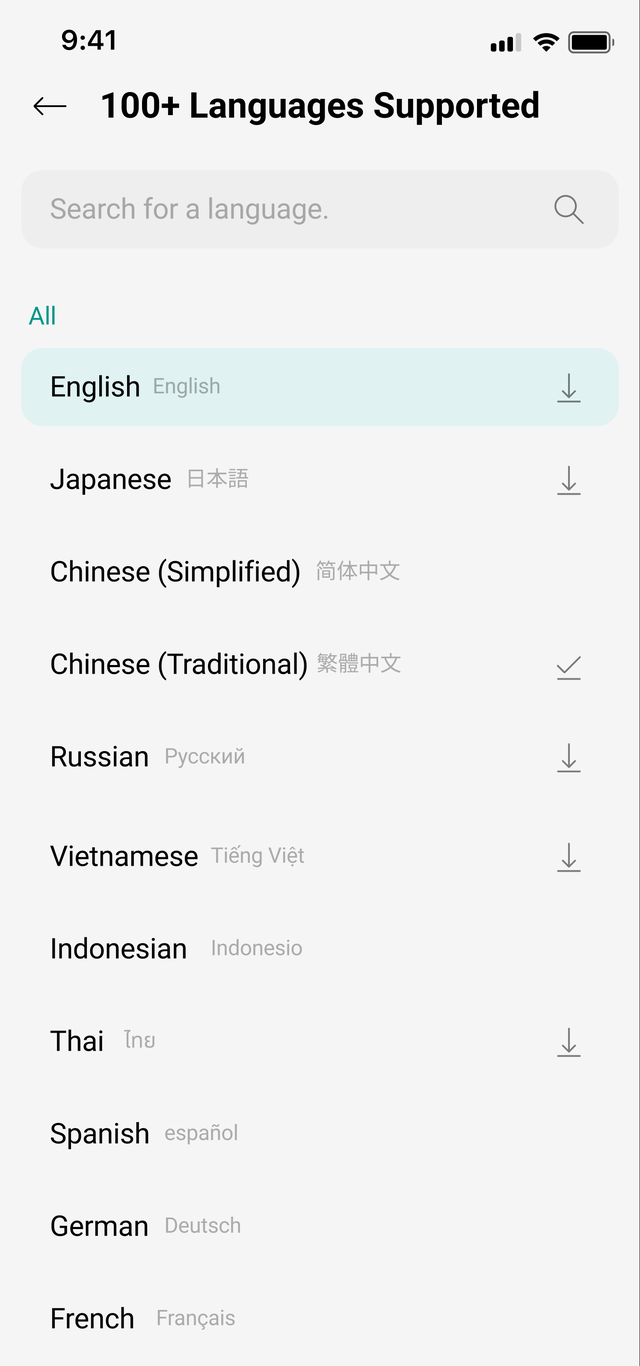
Language list screen — a download button next to each language, including English, Japanese, Chinese, and Russian. Talking Translator offline example screen with English and Spanish selected and an offline mode badge.
Everyday tools

Dark mode

Easy on the eyes at night

Text size

Set it to a size you can read

Android widget

Open translation from your home screen

Favorites phrasebook

The lines you use most

Android quick phrases

Ready-made lines by situation

Android history search

Find it in your conversation history

Say hello to the world

Say hello in another language.

Find the feature for your situation

What do you need
to translate today?

Use voice for conversations, photos for printed text, and text translation for messages. Before going offline, download language packs and test the features you need.

Traveling
Where are you headed?
Ask for directions or order a meal with voice translation.
Voice translation guide
Reading menus and signs
What does this menu say?
Take a photo or choose an image from your album to translate its text.
Photo translation guide
At work
Let’s start with this today
Use voice translation with colleagues and share the translated text on one screen.
Face-to-face conversation guide
Translating a message
What does this text mean?
Paste a text or DM into text translation, then copy the result when you need it.
Explore text translation
Preparing for offline use
Will it work without internet?
Download available language packs and test the languages and features you need before leaving.
Offline preparation guide
Family and partners
How was your day?
Take turns speaking and show the translation in the face-to-face view.
Voice conversation guide
Reviews

Reviews from people who use it

From travelers, from people at work, and from families at the dinner table.

4.6 Google Play rating
150K+
Google Play reviews
10M+
Total downloads
App Store Google Play
FAQ

A few last
questions.

Need more help? Reach out to Support anytime — someone on the team reads every message.

Go to Support
What translation features are included?
Use voice conversations, the face-to-face view, text and photo translation, offline text translation with downloaded packs, and conversation history. Language coverage and AI features differ by platform and device.
Is it available on both iPhone and Android?
Yes. It is available for iPhone and Android. Download it from the App Store or Google Play for free. In-app subscriptions are available.
Can I look back at earlier translations?
Yes. Open History to revisit saved conversations. AI titles and summaries depend on consent, conversation eligibility, and usage limits. Storage limits vary by platform and plan.
Where do I go if something goes wrong?
The Support page lists our email contacts. You can also write in from Settings > Contact us inside the app.
Which languages does Talking Translator support?
For text translation, Android offers 90 language and regional options, and iPhone offers 35, including English, Korean, and Japanese. Regional variants are counted separately. Voice, photo, and offline translation have different language coverage; check the relevant feature in the app.
Voice translation guide, Offline language pack guide
Can I use the app without internet access?
While online, download packs for both the source and target languages to translate supported text offline. On Android, voice conversations require an internet connection. Offline speech recognition on iPhone depends on language and device support. Language packs do not guarantee offline voice or photo features.
Are the features identical on iPhone and Android?
Both platforms offer voice conversations, text and photo translation, and history, with different language and feature coverage. The home screen widget, quick phrases, and history search shown here are Android features. AI insights require consent and an eligible conversation and are subject to usage limits. Storage limits vary by platform and plan.
After the conversation
Saved conversations AI summary Offline

Keep the conversations you share.
Find them in History,
and prepare for offline use.

Do you have this in another color?¿Lo tiene en otro color?
Sí, lo tenemos en negro y beige.Yes, we have it in black and beige.
The beige one, please. Do you take cards?El beige, por favor. ¿Aceptan tarjetas?

Start with a simple hello.

Conversations where language is no longer a wall —
start with Talking Translator.