Real-time voice translation · iOS & Android

Different languages.
One conversation.

Speak, and the translation comes right up — voice conversation face to face, text and image translation, and history that AI keeps in order.

10M+ downloads 4.7 Google Play rating 100+ languages supported
Talking Translator face-to-face view — the English translation is flipped toward the other person at the top, with the Korean original and the mic button below.
10M+Total downloads
150K+Google Play reviews
100+Languages supported
4.7Google Play rating
Features

Speak it, type it, snap it.
And keep it.

Voice, text, and image translation through to history and offline —
keep the conversation going anywhere, with nothing to set up.

01 · Voice conversation

One tap, and
the interpreting starts.

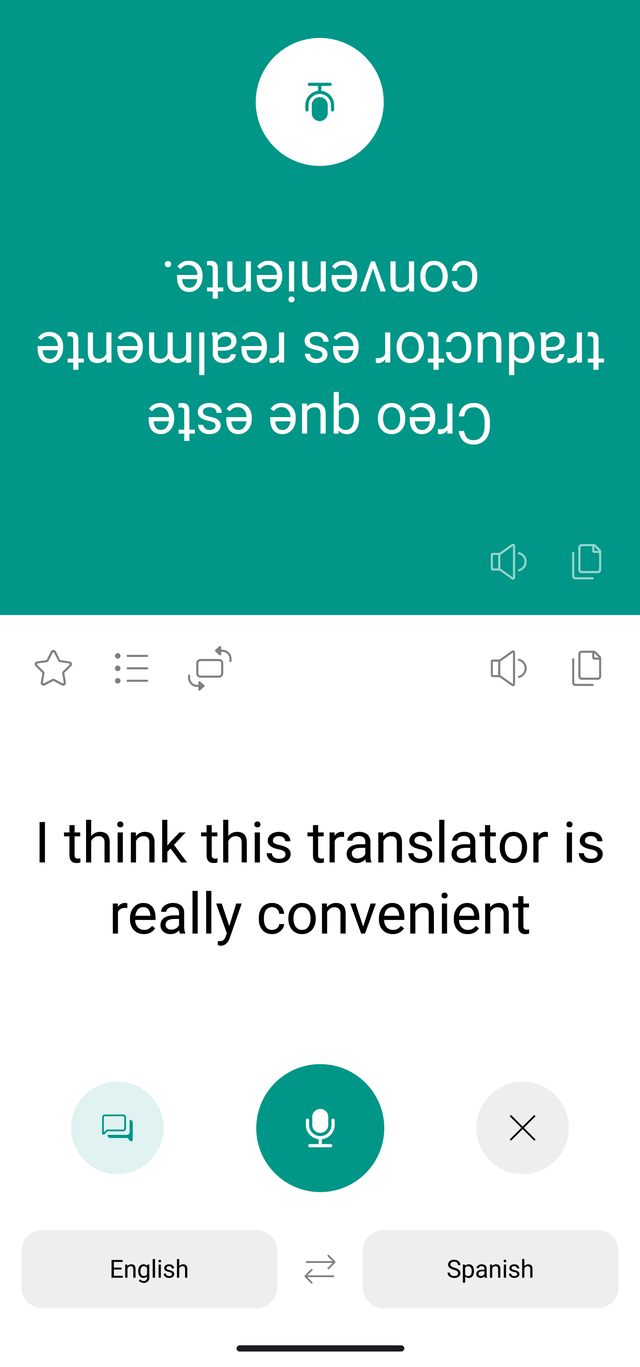
Press the button, speak, and it translates right away. In the face-to-face view you can keep talking while looking at each other.

  • One-touch recording — press, speak, and it translates as you go
  • Face-to-face view — the translation is flipped toward the person across from you
  • Side-by-side view — switch from the flipped layout when you sit next to each other
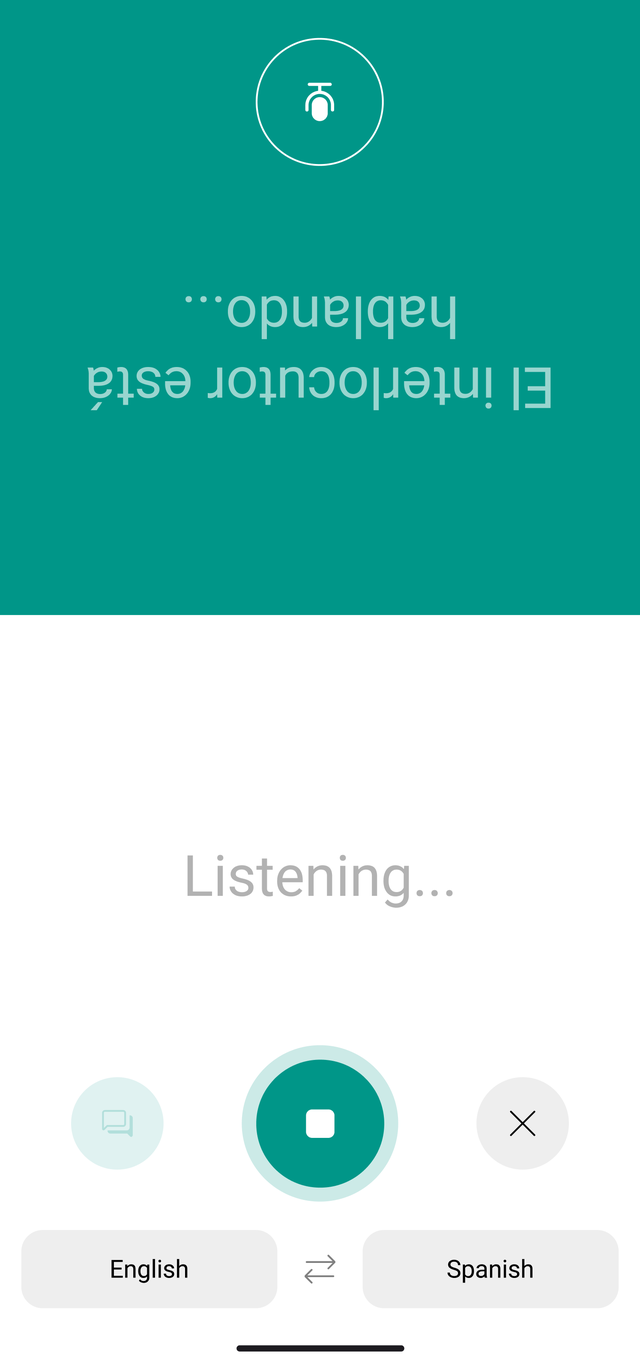
Talking Translator face-to-face speech recognition screen — “Partner is speaking…” flipped toward the other person at the top, with a listening indicator and the record button below.
02 · Text translation

Type it or paste it,
and it’s translated.

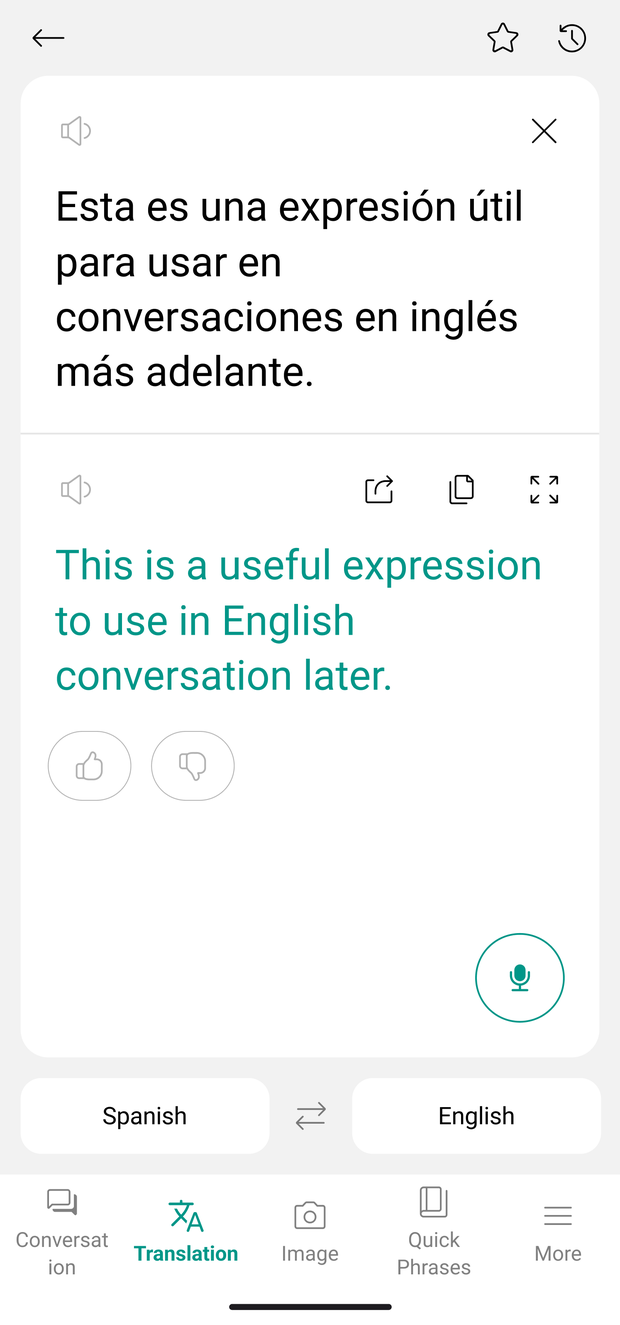
Paste in the message or the notice you just received. Copy the result to send it on, listen if you want to hear the pronunciation, and keep the lines you’ll use again in Favorites.

  • Type or paste — long passages handled in one go
  • Copy, listen, favorite — use a translated line now, keep it for later
  • 100+ languages — set your language pair once and it stays
Talking Translator text translation screen — the Korean result sits under the English original, with copy, listen and share buttons.
03 · Image translation

Signs, menus —
point and read.

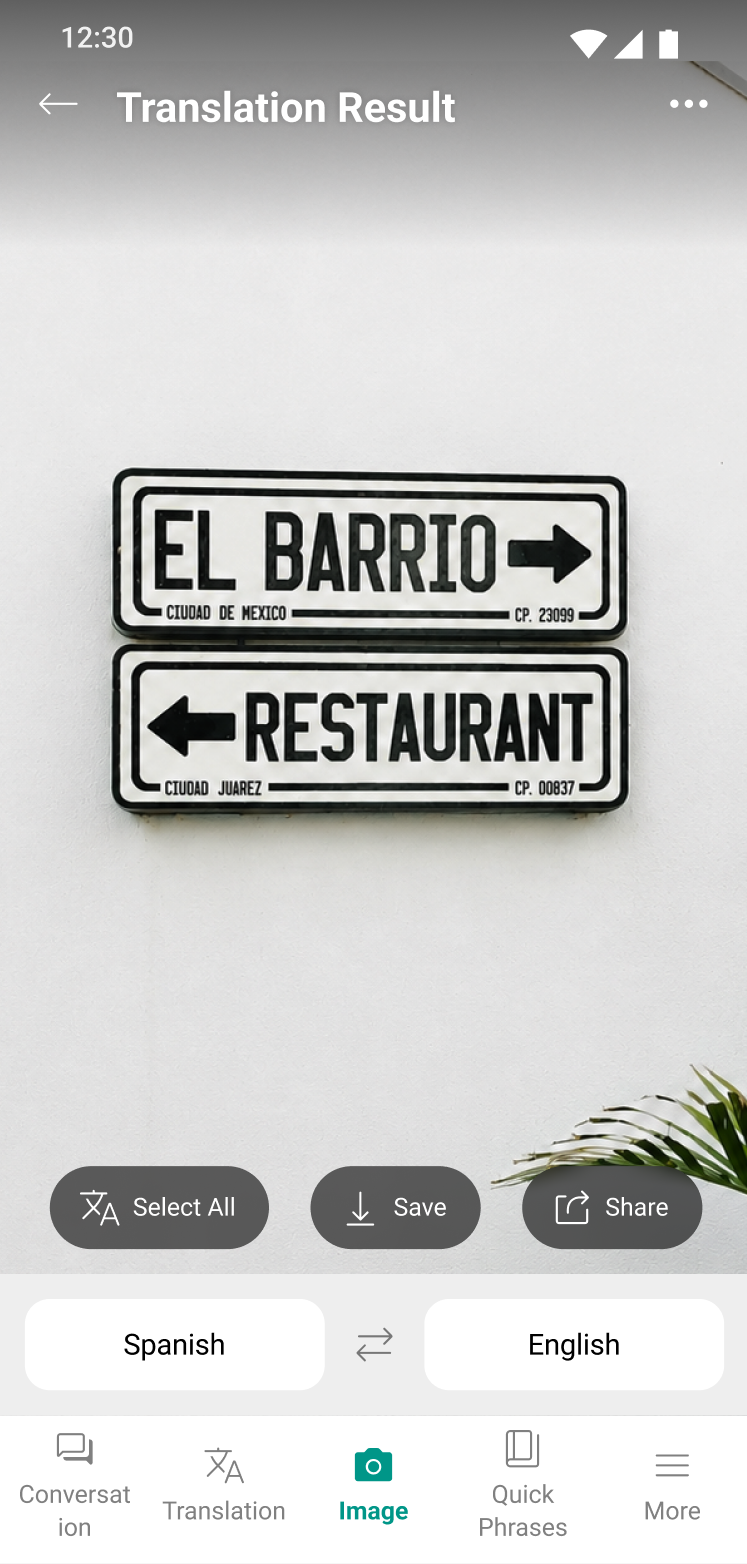
Take a photo or pick one from your album, and the text inside is found and translated. The text in the photo is turned into lines you can use.

  • Camera or album — signs, menus, and notices become readable on the spot
  • In place — the translation overlays the original text where it sits
  • Select all, save, share — keep everything it found in one step
Talking Translator image translation result — a photo of a Spanish sign with the translated words overlaid, plus select-all, save, and share buttons.
04 · History & AI insights

Your own set of lines,
put in order by AI.

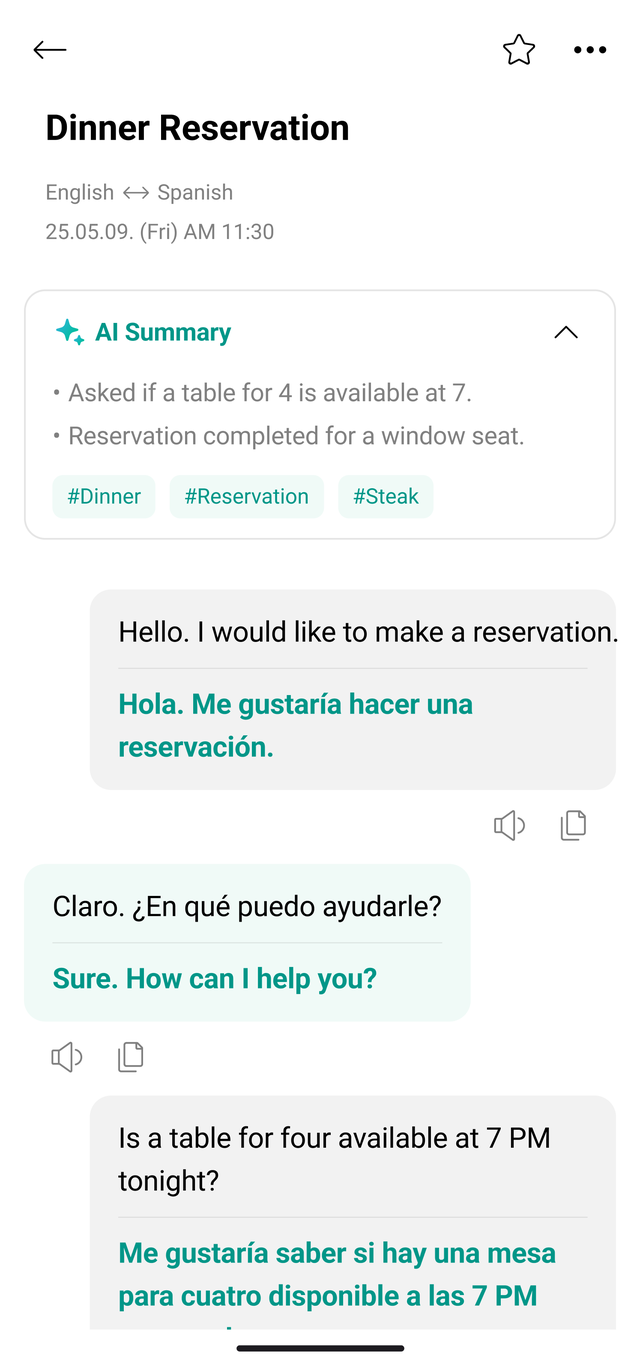
Every conversation is saved on its own. AI adds a title, a summary, and hashtags, so months later you can still find “that one conversation” right away.

  • Auto-save and search — the whole conversation is kept with its language pair and date
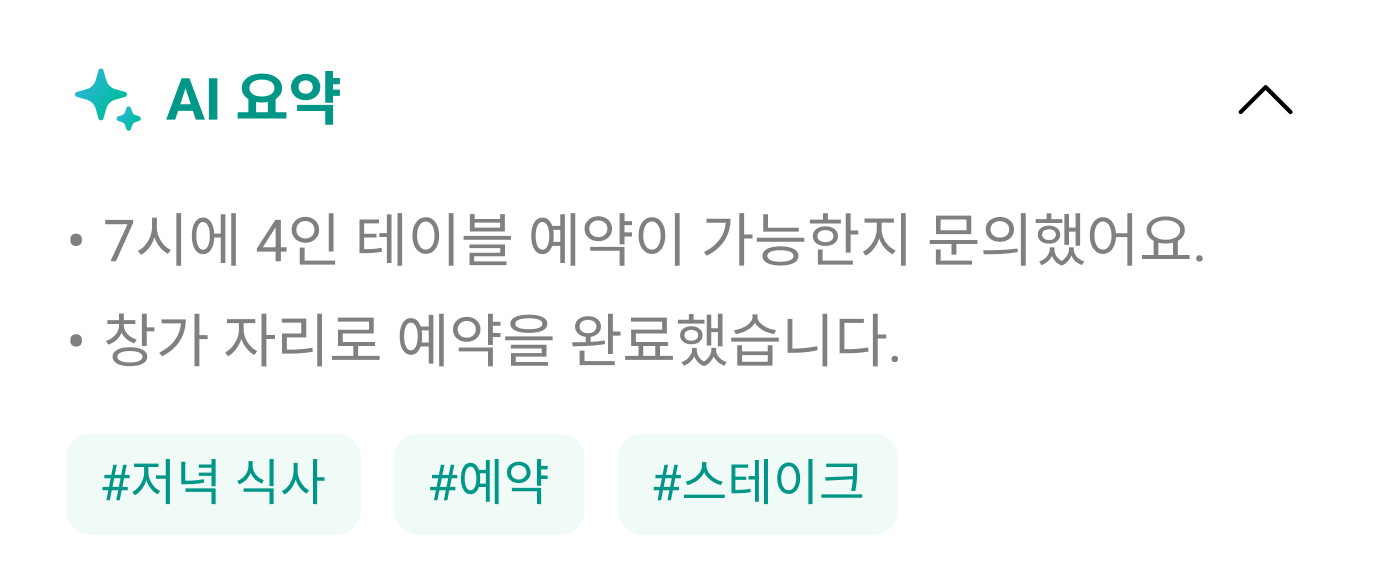
  • AI summary — what you talked about, in two or three lines
  • Hashtags — the situation is clear at a glance
Talking Translator conversation history detail — a “Dinner reservation” title, the Korean–English language pair with the date, an AI summary card, and the exchange below it.
AI summary card — a two-line recap of asking about a table for four at seven and booking a window seat, with hashtags.
05 · Offline & everyday basics

Download ahead,
and it works without data.

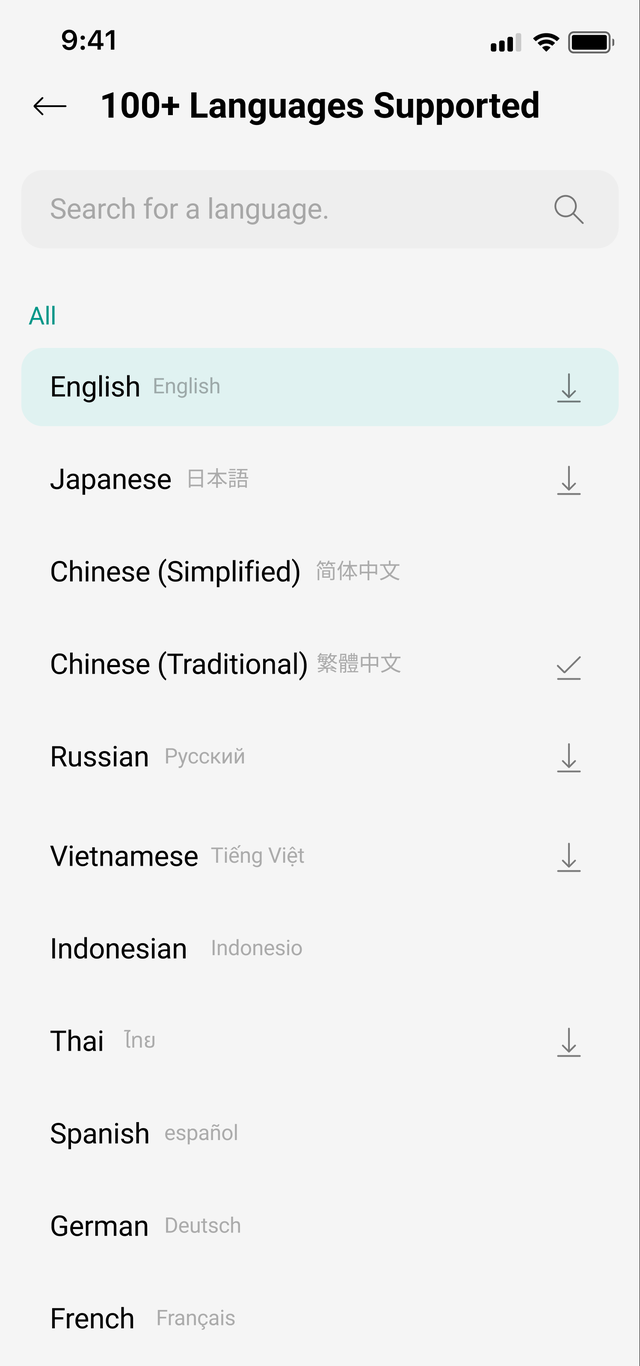
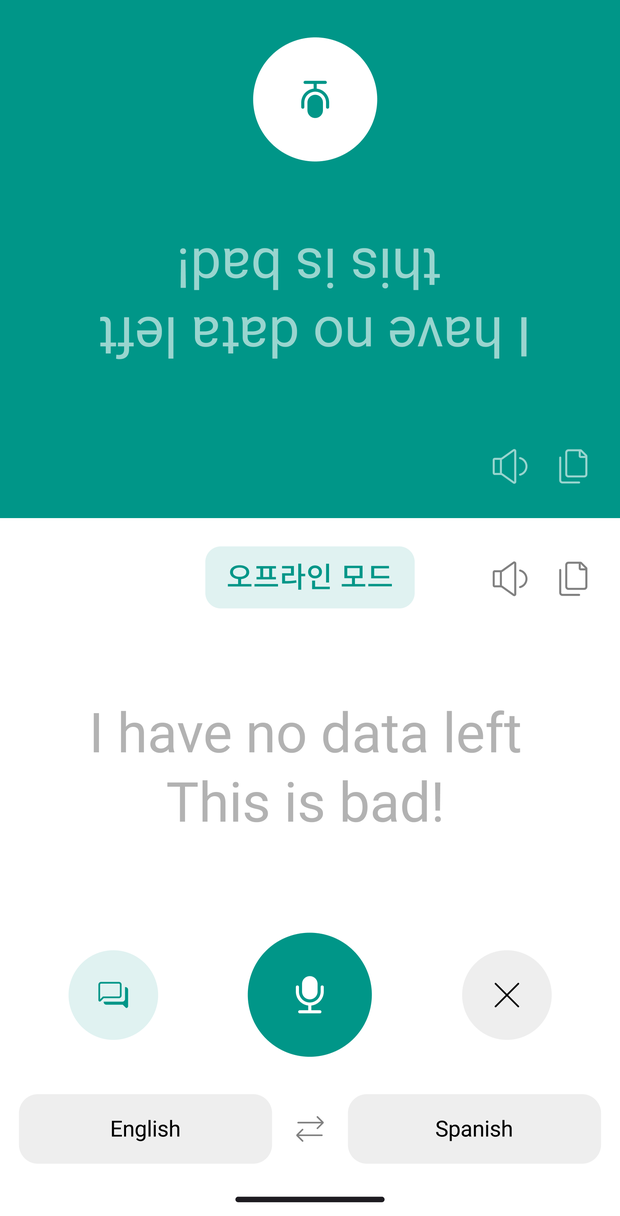
Download the language packs you need in advance and translation keeps going — on a plane, on a mountain trail, or down a street where roaming drops.

Language list screen — a download button next to each language, including English, Japanese, Chinese, and Russian. Talking Translator offline mode screen — an offline badge above the Korean original, with the English translation flipped toward the other person.
Features for everyone

Dark mode

Easy on the eyes at night

Text size

Set it to a size you can read

Home screen widget

Start before you open the app

Favorites phrasebook

The lines you use most

Quick phrases

Ready-made lines by situation

Conversation search

Find it in your past history

Say hello to the world

Say hello in 100+ languages.

When a conversation is needed

From travel to everyday life,
start with a single word.

Not just the trip you take once a year. It’s at the counter you work every day, beside a colleague who speaks another language, and at the dinner table.

Traveling
Where are you headed?
The first words in an unfamiliar city
At the shop or hotel
Let me help you check in
Where guests arrive every day
At work
Let’s start with this today
Getting in step with a colleague who speaks another language
Translating a message
What does this text mean?
Paste in a text or DM from anywhere else
Learning a language
Did I say that right?
Hear the pronunciation, try a greeting in another language
Family and partners
How was your day?
An evening between two people with different languages
Reviews

Reviews from people who use it

From travelers, from people at work, and from families at the dinner table.

4.7 Google Play rating
150K+
Google Play reviews
10M+
Total downloads
App Store Google Play
FAQ

A few last
questions.

Need more help? Reach out to Support anytime — someone on the team reads every message.

Go to Support
What translation features are included?
Real-time voice translation, the face-to-face view, text and image translation, offline language packs, and AI insights that put your conversations in order — all in one app. Translation covers 100+ languages; voice conversation covers 18.
Is it available on both iPhone and Android?
Yes. It runs on both iOS and Android, and you can download it from the App Store or Google Play.
Can I look back at earlier translations?
Yes. Conversations are saved on their own and can be searched. AI adds a title and a summary, so finding one again is quick.
Where do I go if something goes wrong?
The Support page lists our email contacts. You can also write in from Settings > Contact us inside the app.
After the moment it gets through
Saved conversations AI summary Offline

The moment it gets through doesn’t disappear.
What you said builds into a phrasebook,
and it carries on without data.

이거 다른 색상도 있나요? Do you have this in another color?
Yes, we have it in black and beige. 네, 블랙과 베이지가 있어요.
베이지로 주세요. 카드도 되나요? The beige one, please. Do you take cards?

Go ahead — say something.

Conversations where language is no longer a wall —
start with Talking Translator.